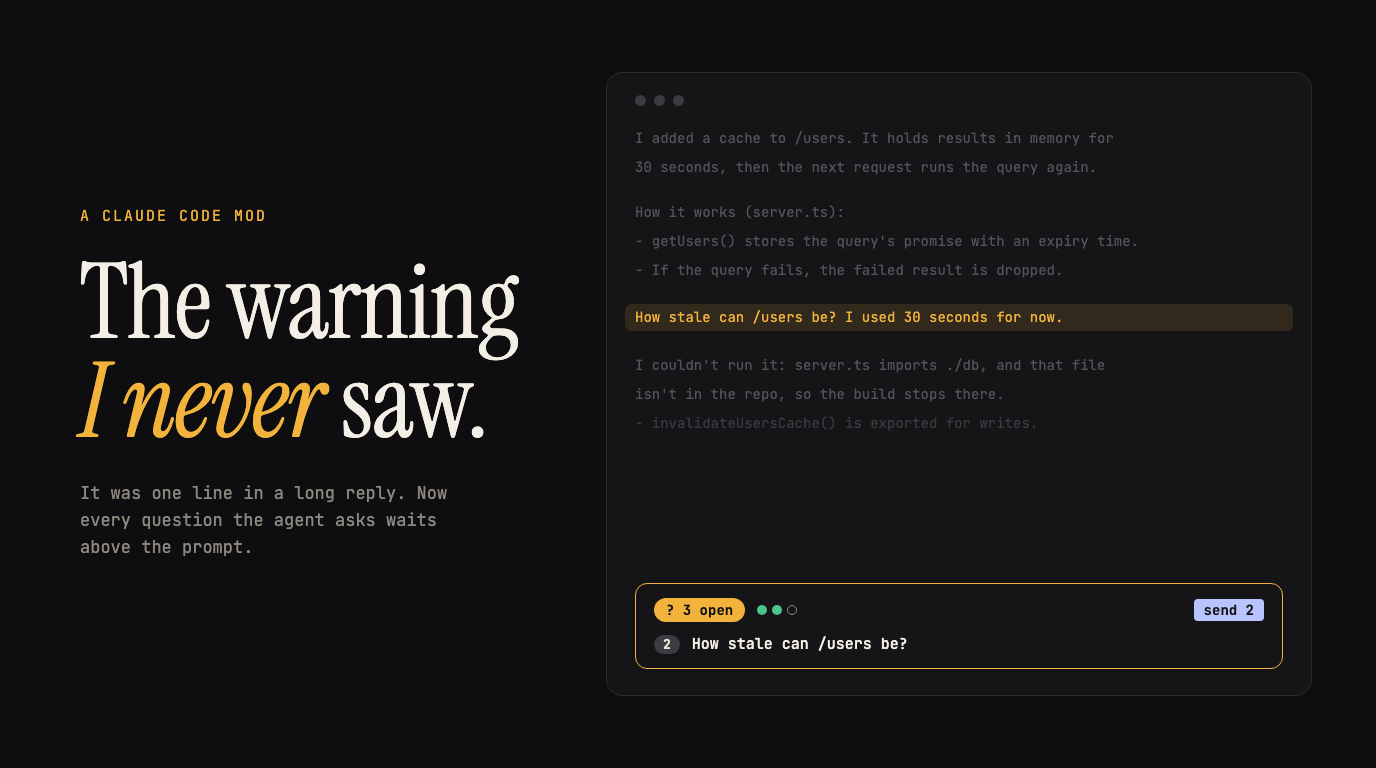

My agent warned me, and I never saw the warning. Everyone has the same Claude Code, so your edge is how you bend it to the way you work, and a Claude Code mod makes the bending cheap: about 250 lines, written by the agent itself, that fixed the exact thing that burned me.
I was building a feature and sent agents to implement it. Then I found out it was built poorly. The warning came as a question, right there in the reply. More text came after it, I read the more text, and I never answered.
Why do agent questions get lost in Claude Code?
Because they live in prose. A question or a warning is one sentence in the middle of a long reply, and the reply keeps going: a summary, a diff, tool output. Your eye goes to the end. The sentence that needed you scrolls away.
I’m not the only one. At least seven issues in the Claude Code repo, open and closed, describe the same thing.1 One puts it better than I can:
Questions get silently dropped: Claude then proceeds on an assumption (wasted work) or waits for an answer nobody noticed was needed (stalled work).
The first one is what got me.
Why a tool, and not a CLAUDE.md rule?
The obvious fixes are rules. “Always put your questions at the end.” “Summarize open questions in bold.” They work until the reply gets long, which is exactly when you need them.
I wanted structure instead of discipline. It is easier to give the agent a tool and track its questions in a structured way. Each question becomes a record with an id, not a sentence I have to find. And I can answer only some of them, in plain prompt text, and leave the rest open.
Claude Code already has a structured option, AskUserQuestion. It takes one to four multiple-choice questions and stops the turn until you answer.2 That fits when the agent can’t go on without you. It doesn’t fit the questions an agent collects while it keeps working: free text, not blocking, answered when you get to them.
Anthropic also shipped “You should know”, a built-in feature (off by default) where a side agent posts a note above the prompt when it spots something you might have missed.3 It flags things. It doesn’t keep a list you can answer.
What is a Claude Code mod?
A mod is a plugin whose code runs inside Claude Code instead of as a shell command. It can watch an event, change it, or take it over, and it can draw: a pane beside the transcript or a band above the prompt.4 Mods shipped in v2.1.287 on 2026-10-01 and are on by default.5 No build step: Claude Code loads .ts and .tsx files directly.
A plugin becomes a mod when its hooks/hooks.json names a module:
{ "modules": ["./open-questions.tsx"] }The open-questions mod hooks four events:
| Event | What it does |
|---|---|
session.start | Registers a questions tool. Claude calls it with ask for each new question and answered with the ids it closed. |
tool.call | Handles that tool: keeps the list in session state and hands back the open questions. |
prompt.submit | Puts my drafted answers after whatever I typed, and reminds Claude which questions are still open. |
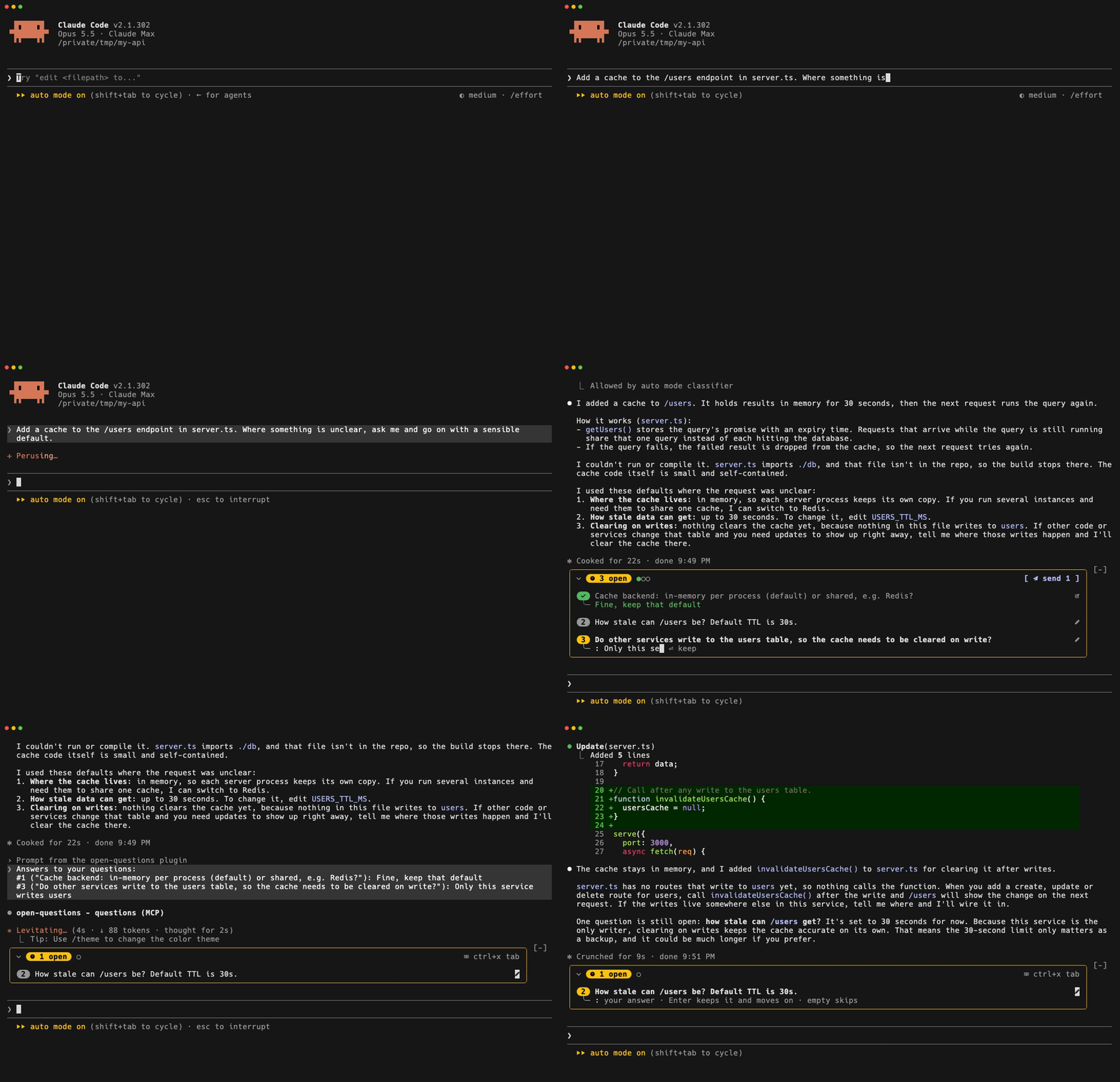
ui.render on AbovePrompt | Draws the box: a pill with the count, a dot per question (up to eight), a field to type each answer, one button to send them all. |
The tool’s description is the whole contract with the model:
await $.tool.register({ name: 'questions', isDeferred: false, description: 'Track the questions you ask the user. Each time your reply asks the user a question that needs an answer, ' + 'call this tool with `ask` (one short line for each question). When the user answers a question, or it no ' + 'longer applies, call it with `answered` (the ids). Do not track rhetorical questions or offers. ' + 'Returns the open questions.', inputSchema: { type: 'object', properties: { ask: { type: 'array', items: { type: 'string' } }, answered: { type: 'array', items: { type: 'number' } }, }, },})isDeferred: false makes Claude see the full description every turn instead of only the tool’s name. It needs v2.1.293 or later.6
Claude Code wrote it. The tuning is the work.
I didn’t write the mod. Claude Code did.
The hard part came after: tuning it every time I hit an edge case or a spot where it didn’t work. The git log shows it: nine commits over about 28 hours, and the main file grew from 118 lines to 246.
- Answers became drafts. You type an answer and it waits; one button sends them all in one message.
- The first unanswered question opens by itself, so
ctrl+x tablands in its field and you just type. - Stale questions. Answer something in your own words and the box kept it. Now every prompt carries the open list, and Claude closes the ones the message answered or made moot.
- The single-question case. One commit hid the box when only one question was open. Two commits and twenty-five minutes later, it came back. One question is still easy to lose: the talk moves on to something else, and the question is still open. With the box, neither I nor the agent forgets it.
- Two questions got the same id. Parallel tool calls handed out the same number. Now the ids are reserved in one update.
Each of these showed up while I used it, not while I planned it.
What changed: zero missed questions
Since then I haven’t missed a single question from the agent, and nothing important slipped. In the session where this post was planned and drafted, the agent filed 62 questions through the tool, and none was asked only in the text.
That number rests on Claude calling the tool, because nothing in the code checks that a question got filed. In my sessions it has. While I recorded the demo above, Opus 5.5 filed its questions and Sonnet 5.5, with the same prompt and setup, wrote them as plain text and never called the tool. If your agent skips it, the box can’t help: try another model, or sharpen the description.
Who it is not for
- You run one agent at a time and read every reply to the end. A lost question is rare for you, and the box is noise.
- Headless runs (
claude -p, CI). Nobody is there to answer, and mods don’t draw there anyway.7 - An agent that already over-asks. A tracker rewards asking, which is why the description says “Do not track rhetorical questions or offers.”
It also doesn’t draw in the VS Code extension, and /clear, /resume and /branch start an empty list.8
How to build your own Claude Code mod
People look for ready solutions: someone’s config, someone’s plugin pack. Right now the best thing you can do is learn to customize the tool yourself.
- Pick one annoyance that keeps coming back in your own setup. Mine was a warning I scrolled past.
- Ask Claude to write the mod. Claude Code has a built-in
plugin-authoringskill for exactly this, and it reloads the mod as you go.9 - Use it for a day and write down every time it gets in your way. Each note is the next commit.
Or start from mine. The code, the tests and the install line are in jaklimoff/claude-open-questions:
/plugin marketplace add jaklimoff/claude-open-questions/plugin install open-questions@open-questionsTested with Claude Code v2.1.302. Mods can still change between releases, so treat it as something you own and tune, not something you install and forget.10
Footnotes
-
For example #98624, #102310, #57743 and #30534. The quote is from #98624. ↩
-
Tools reference: AskUserQuestion and Hooks: AskUserQuestion. ↩
-
Claude Code changelog, v2.1.287. ↩